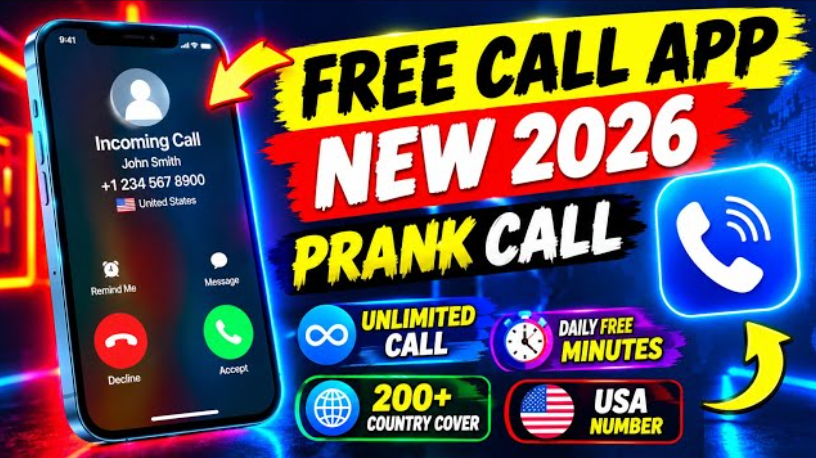
Have you ever wanted to make your friends laugh by showing them an unexpected phone call from a funny character? Or have you ever needed a creative way to leave an awkward conversation without making the situation uncomfortable? A Fake Call Prank can turn an ordinary moment into an entertaining experience. With the help of fake call applications, users can simulate incoming calls, customize caller details, and create funny situations with friends and family.Fake Call Prank – Complete Guide: Features, How to Use, Ideas, and Safety Tips
Today, smartphone applications offer different entertainment features, including simulated phone calls, customized caller names, realistic ringtones, and scheduled call screens. These features make it easier for users to create playful scenes without needing complicated equipment.
In this complete Fake Call Prank guide, you will learn what a fake call is, how it works, how to set it up on your phone, which features to look for, and how to enjoy this type of entertainment responsibly.
What Is a Fake Call Prank?
A Fake Call Prank is an entertainment activity in which a smartphone displays a simulated incoming call instead of an actual telephone call. Depending on the application, you may be able to choose the caller’s name, picture, number, ringtone, and the time at which the simulated call appears.
For example, imagine that you are sitting with your friends and suddenly your phone displays an incoming call from a fictional character named Captain Funny. Your friends might be surprised when they see the unusual caller name, and the situation can become a source of laughter.
Some applications allow users to simulate calls from celebrities, cartoon characters, fictional police officers, delivery drivers, or other entertaining characters. Other applications focus on realistic-looking call screens and scheduled incoming calls.
The most important distinction is that a fake incoming call simulator does not actually contact the person displayed on your screen. It creates a simulated experience on your own device. This is different from caller ID spoofing or services that place real prank calls to other people.
How Does a Fake Call Prank Work?
Fake call applications generally work by displaying a simulated call interface on your smartphone. The exact technology depends on the application, your operating system, and the permissions you have granted.
After opening the application, you can usually configure the details of the incoming call. Once you activate the simulation, the app waits for the selected time and displays the call screen.
For example, you might select a caller named Funny Friend, choose a ringtone, and set the delay to 30 seconds. When the timer finishes, your phone may ring or vibrate, depending on the app’s features and your device settings.
Some applications offer additional options, such as recorded audio, fictional caller photographs, different phone screen designs, and simulated video calls. However, not every app supports every feature.
Remember: A simulated call is not proof that the person shown on the screen actually called you. The displayed name and number are customizable details rather than verified caller information.
Main Features of a Fake Call Prank App
Before selecting a fake call application, it is helpful to understand the features that may be available.
- Custom Caller Name
One of the most popular features is the ability to select a caller name. You might enter a funny nickname, a fictional character, or a made-up personality to create an entertaining scenario.
For example, a call from “Professor Comedy” could make your friends curious about who is contacting you.
Use fictional names or obtain permission before using another person’s identity in a prank.
- Customized Caller Picture
Some applications allow users to select a picture from their gallery or choose an image provided by the app. The selected picture may appear on the simulated incoming-call screen.
This feature can make a staged comedy video more visually interesting. For privacy reasons, avoid using another person’s photograph without permission, especially if you intend to publish the recording online.
- Scheduled Incoming Calls
The scheduling feature allows users to choose when the simulated call should appear. Depending on the application, available options may include an immediate call or a delay of several seconds or minutes.
For instance, you can arrange a simulated call to appear after 20 seconds while recording a comedy scene with your friends.
Keep in mind that background restrictions, battery-saving settings, and app permissions may affect whether a scheduled call appears as expected.
- Realistic Ringtones and Vibration
A suitable ringtone can make a simulated call feel more natural. Some applications include several ringtone options and vibration settings.
Choose a sound that fits the situation rather than using an unnecessarily loud ringtone. This is particularly important when using your phone in a classroom, office, library, or other quiet environment.
- Voice and Audio Options
Certain fake call apps support prerecorded audio or allow users to prepare a short conversation. This can be useful for creating comedy videos or rehearsing a fictional phone conversation.
Other applications offer only a visual call screen. Therefore, check the app description before installing it if audio playback is important to you.
- Different Call Screen Designs
Depending on the app, you may find simulated interfaces inspired by different Android phones or iPhones. These designs can include caller photographs, answer buttons, decline buttons, and other visual elements.
However, the appearance and functionality of these interfaces vary between applications and operating system versions.
How to Use a Fake Call Prank App on Android
Setting up a simulated incoming call is usually straightforward. Follow these general steps to get started.
Step 1: Find a Suitable Application
Open the Google Play Store on your Android phone and search for Fake Call Prank. Review the available applications, their descriptions, recent reviews, update history, and privacy information.
Install an application from a trusted source rather than downloading an unknown APK from a random website.
Step 2: Open the Application
After installation, launch the app and explore its main screen. Look for an option such as “Set Up Fake Call,” “Simulate a Call,” or a similarly named feature.
The exact button names depend on the application.
Step 3: Select the Caller Details
If customization is supported, enter a fictional caller name and choose a suitable picture. You may also be able to select a simulated phone number, ringtone, or call screen design.
Avoid presenting the simulation as evidence of a genuine conversation or an actual call from an authority.
Step 4: Choose the Call Time
Select whether the simulated call should appear immediately or after a delay. If the application offers scheduling, choose a time that suits your planned activity.
For a short comedy scene, a delay of 10 to 30 seconds may be convenient.
Step 5: Start the Simulation
Tap the appropriate start or simulation button. Depending on the app, you may need to allow notifications or other permissions for the feature to operate correctly.
Place your phone where you can access it safely and wait for the simulated call screen to appear.
Step 6: End the Call and Reset the App
When the activity is complete, close the simulation and reset any settings you no longer need. If the app has a history or saved caller-profile feature, review it and remove unnecessary information where possible.
Important: These steps describe a general process. Individual apps may use different menus and controls, and not every application supports scheduled calls or lock-screen displays.
Best Fake Call Prank Ideas for Friends
A good prank should be easy to understand, enjoyable for everyone involved, and harmless. Here are some ideas you can adapt to your own situation.
- The Funny Boss Call
Create a fictional caller named “The World’s Funniest Boss.” When the simulated call appears, act as though you are discussing an imaginary office assignment.
You could say something ridiculous, such as, “Yes, sir, I will deliver 500 pizzas to the moon tomorrow morning.”
This idea works particularly well in a staged comedy video.
- The Cartoon Character Call
Choose a fictional cartoon-inspired caller name and create a funny conversation around it. Your friends might be surprised by the unusual name before realizing that the entire situation is a joke.
Use original characters or images you have permission to use.
- The Mystery Caller
Set a fictional name such as “Secret Comedy Agent” and prepare a playful reaction. You can ask your friends to guess who the mysterious caller might be before revealing the simulation.
The mystery should remain lighthearted, without threats or frightening messages.
- The Food Delivery Surprise
Create a fictional caller named “Burger Delivery Captain” and pretend that someone has called to deliver an imaginary meal.
This can be a simple idea for short-form videos on TikTok, Facebook Reels, or YouTube Shorts.
- A Fake Call Comedy Challenge
Ask a consenting friend to participate in a comedy challenge. Prepare a few fictional caller names and let the participant choose one at random.
Record the reactions only with permission, and explain the prank afterward. You can then edit the best moments into a short entertainment video.
Fake Call Prank for YouTube, TikTok, and Facebook Videos
Fake call simulations can provide ideas for short comedy content. Creators can use fictional scenarios to build suspense, create humorous reactions, or develop short storytelling videos.
For a successful video, start with an interesting opening. Show the simulated incoming-call screen, introduce the situation, and capture the reaction without unnecessarily embarrassing anyone.
Keep the video focused on the entertainment rather than misleading viewers into believing that a real emergency or official call has occurred.
If you upload a prank video to social media, consider the following suggestions:
- Create an engaging opening: Introduce the funny situation within the first few seconds.
- Keep the story simple: A clear setup and a humorous ending are often more effective than a complicated script.
- Use captions: On-screen captions can help viewers understand the conversation when watching without sound.
- Respect privacy: Obtain permission before recording or publishing identifiable people.
- Be transparent: Disclose staged scenarios when viewers could reasonably mistake them for real events.
These practices help you produce entertaining content while maintaining trust with your audience.
How to Choose a Safe Fake Call Application
Not every application is equally reliable. Before installing one, take a moment to review its features and privacy practices.
Check the following points:
Official source: Prefer applications available through the Google Play Store or Apple App Store.
Permission requests: A simple call simulator may not need access to all your contacts, text messages, location, or microphone. Consider carefully whether each requested permission is necessary for the advertised feature.
Privacy policy: Review what information the developer collects, how it is used, and whether it is shared with third parties.
Recent reviews: Read feedback from users with similar devices. Pay attention to complaints about excessive advertisements, unexpected subscriptions, crashes, or unwanted permissions.
Clear functionality: Choose an app that explains whether it simulates a call on your phone or places a real call.
Subscription details: Check whether premium features require payment and whether a free trial automatically renews.
App-store listings and privacy disclosures can change over time, so check the current information before installation.
Is a Fake Call Prank Safe?
A basic fake incoming-call simulator can be a harmless entertainment tool when used responsibly. Nevertheless, the way you use it matters.
Do not use fake calls to impersonate police officers, medical professionals, government agencies, banks, or other trusted organizations to frighten or manipulate people. Never use a simulated call to create a false emergency or encourage someone to make a dangerous decision.
Avoid repeated unwanted calls to other people, caller ID manipulation, and services that secretly collect personal information. A prank should never become harassment, fraud, or intimidation.
If you are recording a video, make sure participants are comfortable with the activity and agree before you publish identifiable footage. Also consider your local laws and the rules of the platform where you share the content.
The best prank is one that makes people laugh without damaging trust.
Fake Call Prank vs. Real Prank Calls
Although the terms sound similar, these activities are different.
A fake incoming-call simulator displays a fictional call on the user’s own device. It generally does not dial a telephone number or connect to another person.
A real prank call involves an actual telephone or internet-based call to another person, sometimes with a prepared script or altered voice. Depending on the service and circumstances, this can raise privacy, consent, and legal concerns.
Caller ID spoofing is different again: it involves manipulating the caller information displayed during a real call. It should not be confused with a basic fake call simulator.
Understanding these differences helps you select the appropriate entertainment tool and avoid applications that do something other than what they advertise.
Frequently Asked Questions (FAQs)
What is a Fake Call Prank app?
A Fake Call Prank app is a mobile application that simulates an incoming call on your phone. Depending on the app, it may offer customizable caller names, pictures, ringtones, and scheduling options.
Can I make a fake call on Android?
Yes. You can search for a suitable fake call simulator in the Google Play Store, install a trusted application, and follow its setup instructions. Available features vary by app and device.
Does a fake call app make a real phone call?
A basic incoming-call simulator does not make a real telephone call. It displays a simulated call interface on the device where it is running. Always check the app description to understand its actual functionality.
Can I customize the caller's name and picture?
Some applications support custom names and pictures, while others offer a limited selection of preset characters. Check the feature list before installing an app.
Are fake call apps free?
Some fake call applications are free to install, while others include advertisements, in-app purchases, or subscriptions. Review the current pricing details before using premium features.
Can I use fake call pranks for social media content?
Yes, you can create staged comedy content using a fake call simulator. Obtain permission before recording or sharing identifiable people, and avoid presenting fictional events as genuine emergencies or official communications.
Are fake call applications safe to install?
Safety depends on the application and its developer. Download from trusted stores, review permissions and privacy disclosures, and avoid apps that demand unnecessary personal information.
Final Words
A Fake Call Prank can be a simple way to create funny situations, explore smartphone entertainment features, and develop creative ideas for social media videos. With options such as customizable caller names, simulated incoming-call screens, scheduled calls, and audio effects, these applications can support a variety of lighthearted activities.
The key is to select a trustworthy application, understand how it works, and use it responsibly. Before installing anything, review its current features, permissions, and privacy policy. Most importantly, keep your pranks friendly, respect other people's privacy, and avoid impersonation or misleading claims.
Whether you want to create a short comedy video or enjoy a harmless joke with friends, a well-planned fake call simulation can add a little creativity to an ordinary day.