In today’s digital world, our smartphones have become the central hub of our lives. From personal photos and videos to important chat conversations, everything is stored on these small devices. But what happens when you accidentally delete your favorite photos, or your WhatsApp chats suddenly disappear after a phone reset? Losing important data can feel devastating. Thankfully, technology has advanced enough to offer powerful recovery tools—and one of the best among them is Dr.Fone. Dr.Fone – The Complete Data Recovery & WhatsApp Message Recovery Solution
Dr.Fone by Wondershare is a professional data recovery and management software trusted by millions of users worldwide. It allows you to recover lost data, restore deleted WhatsApp messages, transfer files, and manage your smartphone data with ease. In this article, we’ll explore how Dr.Fone works, its powerful features, and how it can help you retrieve deleted messages, photos, and other vital data.
- What Is Dr.Fone?
Dr.Fone is an all-in-one mobile solution developed by Wondershare, a company well-known for creating reliable multimedia and data management tools. Originally launched as a data recovery program, Dr.Fone has now evolved into a complete mobile toolkit. It offers features like:
Data recovery for Android and iOS devices
WhatsApp & social app data recovery
Phone transfer and backup
System repair tools for iOS and Android
Screen unlock and data eraser utilities
The best part? Dr.Fone provides both desktop software and a mobile app, making it easier for users to manage and recover data anytime they need.
- Why Data Loss Happens
Before discussing recovery, it’s important to understand why data loss happens so frequently. Here are some common causes:
Accidental deletion of files, messages, or apps
System crashes or failed software updates
Factory reset without proper backup
Virus or malware attacks
Broken screen or hardware damage
WhatsApp reinstallation without backup on Google Drive or iCloud
These situations are frustrating, but with a reliable recovery tool like Dr.Fone, you can restore most of your lost data in just a few clicks.
- Dr.Fone Data Recovery – How It Works
Dr.Fone’s Data Recovery feature is its core strength. It’s one of the first and most effective data recovery tools for both Android and iOS devices. The software scans your phone’s internal memory and SD card to locate deleted files that are still recoverable.
Step-by-Step Process:
- Download and Install:
Install Dr.Fone on your Windows or Mac computer. - Connect Your Device:
Connect your Android or iPhone using a USB cable. The program will automatically detect your device. - Select Data Types:
Choose what you want to recover – photos, videos, contacts, messages, call logs, WhatsApp chats, etc. - Scan Your Device:
Click “Start Scan.” Dr.Fone will analyze your phone’s storage for recoverable items. - Preview and Recover:
Once the scan is complete, you can preview files and select the ones you wish to restore. Then click “Recover” to save them to your computer.
The entire process is user-friendly and doesn’t require any technical knowledge. Within minutes, your deleted data can be restored safely.
- Recover Deleted WhatsApp Messages
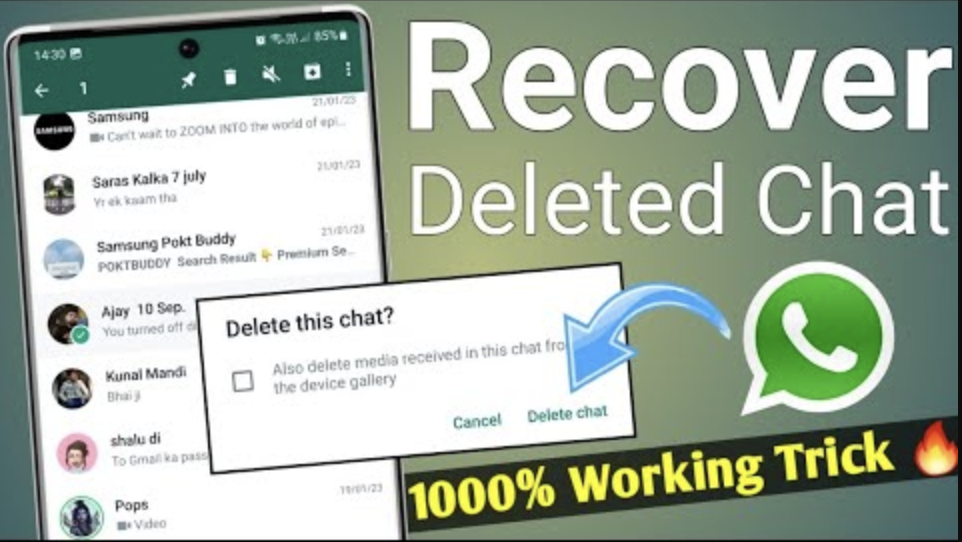
One of the most popular features of Dr.Fone is WhatsApp data recovery. Many users lose their chat history after reinstalling WhatsApp or switching phones without backup. Dr.Fone solves this issue effortlessly.
How Dr.Fone Recovers WhatsApp Messages:
It scans your device storage for WhatsApp data remnants.
It retrieves deleted messages, photos, videos, documents, and audio files.
You can even recover chats from broken or inaccessible phones.
It supports WhatsApp Business, Viber, LINE, Kik, and WeChat recovery too.
Steps to Recover WhatsApp Chats:
- Open Dr.Fone and select “Recover WhatsApp Data.”
- Connect your device to the computer.
- Choose whether to recover from device storage or a backup file.
- Scan and preview your chats.
- Select the conversations and attachments you want back, and click “Recover.”
This feature is especially useful for business users or anyone who handles important conversations through WhatsApp.
- Compatibility and Supported Devices
Dr.Fone is compatible with a wide range of devices and operating systems:
Android: Supports over 6000+ models including Samsung, Xiaomi, Oppo, Vivo, Huawei, Infinix, and others.
iOS: Works perfectly with iPhone 6 through the latest iPhone 15 models.
Windows & macOS: Fully compatible desktop applications.
Dr.Fone ensures high compatibility and regularly updates its software to support the latest Android and iOS versions.
- Key Features of Dr.Fone
a. Data Recovery for All Scenarios
Whether it’s accidental deletion or a damaged phone, Dr.Fone can recover photos, videos, contacts, messages, and more. It works even if the phone is locked or the screen is broken.
b. WhatsApp Transfer and Backup
Apart from recovery, you can transfer WhatsApp data between Android and iPhone or create a full WhatsApp backup on your computer.
c. System Repair
If your iPhone is stuck on the Apple logo or your Android keeps restarting, Dr.Fone’s System Repair can fix these issues without data loss.
d. Phone Transfer
Easily move your data from one phone to another—perfect when you upgrade your device.
e. Screen Unlock
Forgot your password or pattern? Dr.Fone helps you unlock your phone safely without rooting or jailbreaking.
f. Data Eraser
When selling or giving away your old phone, Dr.Fone ensures all personal data is permanently deleted beyond recovery.
- Advantages of Using Dr.Fone
Easy to Use Interface: The design is simple and beginner-friendly.
High Success Rate: Among the highest recovery rates in the industry.
Preview Option: Lets you preview files before recovery.
Secure and Reliable: No data leaks or privacy concerns.
Regular Updates: Constantly improved to handle new phone models and OS updates.
Dr.Fone’s balance of power and simplicity makes it ideal for both everyday users and professionals.
- Dr.Fone Mobile App
For users who prefer direct mobile solutions, Dr.Fone also offers a mobile app (available on the Google Play Store). It can help with data transfer, file management, and mobile backup directly on your phone without needing a computer. However, for full recovery functions, the desktop version remains more powerful.
- Free vs. Paid Version
Dr.Fone offers both free and paid versions. The free version allows scanning and previewing recoverable data, while the paid version lets you fully restore it.
Free Version:
Scan and preview deleted files
Check data recovery possibilities
Paid Version:
Full recovery and saving of deleted data
Unlimited file recovery support
Access to all premium modules (WhatsApp, system repair, etc.)
Considering the amount of data most people store on their phones, the premium version is worth the investment—especially if your data is important for work or personal reasons.
- Is Dr.Fone Safe?
Yes, Dr.Fone is 100% safe to use. It’s a legitimate product from Wondershare, a reputable company with millions of global users. The software does not modify or damage your phone’s existing data during recovery. It works in read-only mode, which means it only scans your device to find recoverable files.
All recovered data stays private on your computer. The program does not upload or share your data online.
- Tips to Avoid Future Data Loss
Even though Dr.Fone can recover lost data efficiently, prevention is always better than cure. Here are some tips to help you avoid data loss in the future:
Regularly back up your phone using Google Drive or iCloud.
Keep your phone software updated.
Use antivirus protection.
Enable WhatsApp chat backups.
Avoid rooting or jailbreaking your phone unnecessarily.
Following these tips ensures that even if something goes wrong, your data remains safe.
- Final Verdict – Why Choose Dr.Fone?
Dr.Fone has proven itself as one of the most comprehensive and user-friendly mobile data recovery solutions in the world. Whether you’ve lost precious photos, videos, or your entire WhatsApp conversation history, Dr.Fone gives you the power to get it all back.
Here’s why you should consider using Dr.Fone:
It supports both Android and iOS devices.
Recovers multiple file types – from chats to media files.
Offers additional utilities like phone transfer, system repair, and screen unlock.
Backed by Wondershare’s trusted reputation.
Delivers high success rates with simple steps.
If you’ve ever faced the pain of losing important data or messages, Dr.Fone is your best friend. It’s a professional-grade recovery tool that combines reliability, simplicity, and performance—all in one package.
Conclusion
In the digital era, losing data doesn’t have to be permanent. With Dr.Fone, you can recover deleted WhatsApp messages, photos, contacts, and more in minutes. Whether you’re an Android or iPhone user, Dr.Fone offers peace of mind knowing your data is always recoverable.